Daisy Joy Oval
BSIT-3F | HTML Activities Portfolio
Activity 1 – HTML Basics
<!DOCTYPE html>
<html>
<body>
  <p>Daisy Joy Oval</p>
</body>
</html>
Daisy Joy Oval
<!DOCTYPE html>
<html>
<body>
  <p>1</p>
  <p>2</p>
  <p>3</p>
  <p>4</p>
  <p>5</p>
  <p>6</p>
  <p>7</p>
  <p>8</p>
  <p>9</p>
  <p>10</p>
</body>
</html>
1
2
3
4
5
6
7
8
9
10
<!DOCTYPE html>
<html>
<head>
  <title>This is a webpage</title>
</head>
<body>
  <p>Check the browser tab for the title!</p>
</body>
</html>
Check the browser tab for the title!
<!DOCTYPE html>
<html>
<head>
  <title>February 3, 2026</title>
</head>
<body>
  <p>When was this webpage created? Check page's title for the answer.</p>
</body>
</html>
When was this webpage created? Check page’s title for the answer.
<!DOCTYPE html>
<html>
<body>
  <p>Hello, welcome to daisy joy webpage!</p>
</body>
</html>
Hello, welcome to daisy joy webpage!
Activity 2 – Text Formatting & Styles
<!DOCTYPE html>
<html>
<head>
  <title>Colored Numbers</title>
</head>
<body>
  <p style="color: black">1</p>
  <p style="color: yellow">2</p>
  <p style="color: red">3</p>
  <p style="color: orange;">4</p>
  <p style="color: purple;">5</p>
  <p style="color: brown;">6</p>
  <p style="color: pink;">7</p>
  <p style="color: gray;">8</p>
  <p style="color: navy;">9</p>
  <p style="color: teal;">10</p>
</body>
</html>
1
2
3
4
5
6
7
8
9
10
<!DOCTYPE html>
<html>
<head>
  <title>Different Fonts</title>
</head>
<body>
  <p>
    <span style="font-family: Arial;">This is the first sentence in Arial.</span>
    <span style="font-family: Times New Roman;">This is the second sentence in Times New Roman.</span>
    <span style="font-family: Courier New;">This is the third sentence in Courier New.</span>
    <span style="font-family: Georgia;">This is the fourth sentence in Georgia.</span>
    <span style="font-family: Verdana;">This is the fifth sentence in Verdana.</span>
  </p>
</body>
</html>
This is the first sentence in Arial. This is the second sentence in Times New Roman. This is the third sentence in Courier New. This is the fourth sentence in Georgia. This is the fifth sentence in Verdana.
<!DOCTYPE html>
<html>
<head>
  <title>Pink Name</title>
</head>
<body>
  <p style="color: pink">Daisy Joy Oval</p>
</body>
</html>
Daisy Joy Oval
<!DOCTYPE html>
<html>
<head>
  <title>Tahoma Font</title>
</head>
<body>
  <p style="font-family: Tahoma;">Daisy Joy Oval</p>
</body>
</html>
Daisy Joy Oval
Activity 3 – Advanced Text Elements
<!DOCTYPE html>
<html>
<head>
  <title>Squares of Numbers</title>
</head>
<body>
  <p>1<sup>2</sup> = 1</p>
  <p>2<sup>2</sup> = 4</p>
  <p>3<sup>2</sup> = 9</p>
  <p>4<sup>2</sup> = 16</p>
  <p>5<sup>2</sup> = 25</p>
  <p>6<sup>2</sup> = 36</p>
  <p>7<sup>2</sup> = 49</p>
  <p>8<sup>2</sup> = 64</p>
  <p>9<sup>2</sup> = 81</p>
  <p>10<sup>2</sup> = 100</p>
  <p>11<sup>2</sup> = 121</p>
  <p>12<sup>2</sup> = 144</p>
  <p>13<sup>2</sup> = 169</p>
  <p>14<sup>2</sup> = 196</p>
  <p>15<sup>2</sup> = 225</p>
  <p>16<sup>2</sup> = 256</p>
  <p>17<sup>2</sup> = 289</p>
  <p>18<sup>2</sup> = 324</p>
  <p>19<sup>2</sup> = 361</p>
  <p>20<sup>2</sup> = 400</p>
</body>
</html>
12 = 1
22 = 4
32 = 9
42 = 16
52 = 25
62 = 36
72 = 49
82 = 64
92 = 81
102 = 100
112 = 121
122 = 144
132 = 169
142 = 196
152 = 225
162 = 256
172 = 289
182 = 324
192 = 361
202 = 400
<!DOCTYPE html>
<html>
<head>
  <title>Alphabetized Names</title>
</head>
<body>
  <p>Alberto<sub>1</sub></p><br>
  <p>Benito<sub>2</sub></p><br>
  <p>Carmen<sub>3</sub></p><br>
  <p>Diego<sub>4</sub></p><br>
  <p>Elena<sub>5</sub></p><br>
  <p>Fernando<sub>6</sub></p><br>
  <p>Gloria<sub>7</sub></p><br>
  <p>Hector<sub>8</sub></p><br>
  <p>Isabel<sub>9</sub></p><br>
  <p>Jorge<sub>10</sub></p>
</body>
</html>
Alberto1
Benito2
Carmen3
Diego4
Elena5
Fernando6
Gloria7
Hector8
Isabel9
Jorge10
<!DOCTYPE html> <html> <head> <title>Indented Paragraphs</title> </head> <body> <p> The advancement of technology has transformed education in remarkable ways. Online learning platforms provide students with access to quality educational resources regardless of their geographic location. Digital tools enable interactive and engaging learning experiences that were previously impossible.</p> <p> Modern classrooms integrate multimedia content, virtual reality, and collaborative software to enhance the learning process. Teachers can now personalize instruction based on individual student needs and track progress more effectively through data analytics and learning management systems.</p> </body> </html>
The advancement of technology has transformed education in remarkable ways. Online learning platforms provide students with access to quality educational resources regardless of their geographic location. Digital tools enable interactive and engaging learning experiences that were previously impossible.
Modern classrooms integrate multimedia content, virtual reality, and collaborative software to enhance the learning process. Teachers can now personalize instruction based on individual student needs and track progress more effectively through data analytics and learning management systems.
<!DOCTYPE html>
<html>
<head>
  <title>Ordered and Unordered Lists</title>
</head>
<body>
  <h2>Top 5 Programming Languages in 2026</h2>
  <ol>
    <li>Python</li>
    <li>JavaScript</li>
    <li>Java</li>
    <li>C++</li>
    <li>Go</li>
  </ol>
  <h2>Popular Web Frameworks</h2>
  <ul>
    <li>React</li>
    <li>Vue.js</li>
    <li>Angular</li>
    <li>Django</li>
    <li>Laravel</li>
  </ul>
</body>
</html>
Top 5 Programming Languages in 2026
- Python
- JavaScript
- Java
- C++
- Go
Popular Web Frameworks
- React
- Vue.js
- Angular
- Django
- Laravel
<!DOCTYPE html>
<html>
<head>
  <title>Heading with Horizontal Line</title>
</head>
<body>
  <h1>The Future of Artificial Intelligence</h1>
  <hr width="100%">
  <p>
    Artificial Intelligence continues to revolutionize industries across the globe.
    From healthcare diagnostics to autonomous vehicles, AI systems are becoming
    increasingly sophisticated and capable. Machine learning algorithms can now
    process vast amounts of data to identify patterns and make predictions with
    remarkable accuracy. As AI technology advances, ethical considerations regarding
    privacy, bias, and job displacement become increasingly important. The future
    will likely see AI integrated into nearly every aspect of daily life, from smart
    homes to personalized education systems.
  </p>
</body>
</html>
The Future of Artificial Intelligence
Artificial Intelligence continues to revolutionize industries across the globe. From healthcare diagnostics to autonomous vehicles, AI systems are becoming increasingly sophisticated and capable. Machine learning algorithms can now process vast amounts of data to identify patterns and make predictions with remarkable accuracy. As AI technology advances, ethical considerations regarding privacy, bias, and job displacement become increasingly important. The future will likely see AI integrated into nearly every aspect of daily life, from smart homes to personalized education systems.
<!DOCTYPE html>
<html>
<head>
  <title>Preformatted Text</title>
</head>
<body>
  <pre>
function calculateArea(length, width) {
    // Calculate the area of a rectangle
    let area = length * width;

    // Display the result
    console.log("The area is: " + area);

    // Return the calculated value
    return area;
}

// Call the function
let result = calculateArea(10, 5);
  </pre>
</body>
</html>
function calculateArea(length, width) {
    // Calculate the area of a rectangle
    let area = length * width;

    // Display the result
    console.log("The area is: " + area);

    // Return the calculated value
    return area;
}

// Call the function
let result = calculateArea(10, 5);
<!DOCTYPE html>
<html>
<head>
  <title>Quotations</title>
</head>
<body>
  <h2>Long Quote</h2>
  <blockquote>
    <p>Education is the most powerful weapon which you can use to change the world.
    It is through education that the daughter of a peasant can become a doctor,
    that the son of a mineworker can become the head of the mine, that a child of
    farm workers can become the president of a great nation.</p>
  </blockquote>
  <p><cite>- Nelson Mandela</cite></p>

  <h2>Short Quote</h2>
  <p>As Mahatma Gandhi wisely said, <q>The future depends on what you do today.</q></p>
  <p><cite>- Mahatma Gandhi</cite></p>
</body>
</html>
Long Quote
Education is the most powerful weapon which you can use to change the world. It is through education that the daughter of a peasant can become a doctor, that the son of a mineworker can become the head of the mine, that a child of farm workers can become the president of a great nation.
– Nelson Mandela
Short Quote
As Mahatma Gandhi wisely said, The future depends on what you do today.
– Mahatma Gandhi
<!DOCTYPE html>
<html>
<head>
  <title>Deleted and Inserted Text</title>
</head>
<body>
  <h2>Document Revisions</h2>
  <p>The meeting is scheduled for <del>Monday, February 5th</del> <ins>Tuesday, February 6th</ins> at 2:00 PM.</p>
  <p>Please submit your report to <del>john@email.com</del> <ins>maria@email.com</ins> by Friday.</p>
  <p>The project deadline has been changed from <del>March 15, 2026</del> to <ins>March 22, 2026</ins>.</p>
  <p>Our new office address is <del>123 Old Street, Manila</del> <ins>456 New Avenue, Makati City</ins>.</p>
</body>
</html>
Document Revisions
The meeting is scheduled for Monday, February 5th Tuesday, February 6th at 2:00 PM.
Please submit your report to john@email.com maria@email.com by Friday.
The project deadline has been changed from March 15, 2026 to March 22, 2026.
Our new office address is 123 Old Street, Manila 456 New Avenue, Makati City.
<!DOCTYPE html>
<html>
<head>
  <title>Definition List</title>
</head>
<body>
  <h2>Web Development Glossary</h2>
  <dl>
    <dt><strong>HTML (Hypertext Markup Language)</strong></dt>
    <dd>The standard markup language used to create the structure and content of web pages.</dd>
    <dt><strong>CSS (Cascading Style Sheets)</strong></dt>
    <dd>A stylesheet language used to describe the presentation and visual design of HTML documents.</dd>
    <dt><strong>JavaScript</strong></dt>
    <dd>A programming language that enables interactive and dynamic functionality on websites.</dd>
    <dt><strong>Responsive Design</strong></dt>
    <dd>An approach to web design that makes web pages render well on various devices and screen sizes.</dd>
    <dt><strong>API (Application Programming Interface)</strong></dt>
    <dd>A set of protocols and tools that allow different software applications to communicate with each other.</dd>
  </dl>
</body>
</html>
Web Development Glossary
- HTML (Hypertext Markup Language)
- The standard markup language used to create the structure and content of web pages.
- CSS (Cascading Style Sheets)
- A stylesheet language used to describe the presentation and visual design of HTML documents.
- JavaScript
- A programming language that enables interactive and dynamic functionality on websites.
- Responsive Design
- An approach to web design that makes web pages render well on various devices and screen sizes.
- API (Application Programming Interface)
- A set of protocols and tools that allow different software applications to communicate with each other.
<!DOCTYPE html>
<html>
<head>
  <title>Envelope Format Addresses</title>
  <style>
    .sender   { position: absolute; top: 20px;  left: 20px; }
    .receiver { position: absolute; top: 150px; left: 250px; }
  </style>
</head>
<body>
  <address class="sender">
    Maria Santos<br>
    456 Rizal Street<br>
    Quezon City, Metro Manila 1100<br>
    Philippines
  </address>
  <address class="receiver">
    Mr. Roberto Cruz<br>
    789 Bonifacio Avenue<br>
    Makati City, Metro Manila 1200<br>
    Philippines
  </address>
</body>
</html>
456 Rizal Street
Quezon City, Metro Manila 1100
Philippines Mr. Roberto Cruz
789 Bonifacio Avenue
Makati City, Metro Manila 1200
Philippines
<!DOCTYPE html>
<html>
<head>
  <title>Abbreviations and Acronyms</title>
</head>
<body>
  <h2>Common Technology Abbreviations</h2>
  <p><abbr title="Hypertext Markup Language">HTML</abbr> - Standard markup language for web pages</p><br><br>
  <p><abbr title="Cascading Style Sheets">CSS</abbr> - Stylesheet language for web design</p><br><br>
  <p><abbr title="JavaScript">JS</abbr> - Programming language for web interactivity</p><br><br>
  <p><abbr title="Application Programming Interface">API</abbr> - Interface for software communication</p><br><br>
  <p><abbr title="Uniform Resource Locator">URL</abbr> - Web address identifier</p><br><br>
  <p><abbr title="Hypertext Transfer Protocol">HTTP</abbr> - Protocol for web data transfer</p><br><br>
  <p><abbr title="Hypertext Transfer Protocol Secure">HTTPS</abbr> - Secure version of HTTP</p><br><br>
  <p><abbr title="Domain Name System">DNS</abbr> - System that translates domain names to IP addresses</p><br><br>
  <p><abbr title="Structured Query Language">SQL</abbr> - Language for managing databases</p><br><br>
  <p><abbr title="Search Engine Optimization">SEO</abbr> - Practice of improving website visibility in search results</p>
</body>
</html>
Common Technology Abbreviations
HTML – Standard markup language for web pages
CSS – Stylesheet language for web design
JS – Programming language for web interactivity
API – Interface for software communication
URL – Web address identifier
HTTP – Protocol for web data transfer
HTTPS – Secure version of HTTP
DNS – System that translates domain names to IP addresses
SQL – Language for managing databases
SEO – Practice of improving website visibility in search results
Activity 4 – Links & Navigation
<!DOCTYPE html>
<html>
<head>
  <title>Search Engines</title>
</head>
<body>
  <h1>Popular Search Engines</h1>
  <p><a href="https://www.google.com">Google</a></p>
  <p><a href="https://www.yahoo.com">Yahoo</a></p>
  <p><a href="https://www.bing.com">Bing</a></p>
  <p><a href="https://www.duckduckgo.com">DuckDuckGo</a></p>
  <p><a href="https://www.baidu.com">Baidu</a></p>
  <p><a href="https://www.yandex.com">Yandex</a></p>
</body>
</html>
<!DOCTYPE html>
<html>
<head>
  <title>External Links</title>
</head>
<body>
  <h1>Useful Educational Resources</h1>
  <p><a href="https://www.w3schools.com" target="_blank">W3Schools - Web Development Tutorials</a></p>
  <p><a href="https://www.github.com" target="_blank">GitHub - Code Hosting Platform</a></p>
  <p><a href="https://www.stackoverflow.com" target="_blank">Stack Overflow - Programming Q&A</a></p>
  <p><a href="https://www.codecademy.com" target="_blank">Codecademy - Interactive Learning</a></p>
  <p><a href="https://www.freecodecamp.org" target="_blank">freeCodeCamp - Free Coding Education</a></p>
</body>
</html>
<!DOCTYPE html>
<html>
<head>
  <title>Jump to Bottom</title>
</head>
<body>
  <a href="#bottom">Jump to Bottom of Page</a>
  <h1>Welcome to My Page</h1>
  <p>Lorem ipsum dolor sit amet, consectetur adipiscing elit.</p>
  ... (multiple paragraphs) ...
  <p id="bottom"><strong>You've reached the bottom of the page!</strong></p>
</body>
</html>
Welcome to My Page
Lorem ipsum dolor sit amet, consectetur adipiscing elit.
Sed do eiusmod tempor incididunt ut labore et dolore magna aliqua.
You’ve reached the bottom of the page!
<!DOCTYPE html>
<html>
<head>
  <title>Jump to Top</title>
</head>
<body>
  <p id="top"></p>
  <h1>Welcome to My Page</h1>
  ... (multiple paragraphs) ...
  <p><strong>End of content.</strong></p>
  <a href="#top">Back to Top</a>
</body>
</html>
<!DOCTYPE html>
<html>
<head>
  <title>Two-Way Navigation</title>
</head>
<body>
  <p id="top"></p>
  <a href="#bottom">Jump to Bottom</a>
  <h1>Welcome to My Page</h1>
  ... (multiple paragraphs) ...
  <p id="bottom"><strong>You've reached the bottom of the page!</strong></p>
  <a href="#top">Back to Top</a>
</body>
</html>
Welcome to My Page
Lorem ipsum dolor sit amet…
You’ve reached the bottom of the page!
Back to TopActivity 5 – Images
<!DOCTYPE html>
<html>
<head>
  <title>Image Gallery</title>
</head>
<body>
  <h1>Coffee Shop Gallery</h1>

  <h3>Image 1: Espresso Shot</h3>
  <img src="c:\Users\91460\Downloads\Espresso Shot.jpg" alt="Fresh espresso shot">
  <br><br>

  <h3>Image 2: Latte Art</h3>
  <img src="c:\Users\91460\Downloads\Latte Art.jpg" alt="Latte with art design">
  <br><br>

  <h3>Image 3: Coffee Beans</h3>
  <img src="c:\Users\91460\Downloads\Coffee Beans.jpg" alt="Roasted coffee beans">
  <br><br>

  <h3>Image 4: Coffee Shop Interior</h3>
  <img src="c:\Users\91460\Downloads\Coffee Shop Interior.jpg" alt="Cozy coffee shop">
  <br><br>

  <h3>Image 5: Iced Coffee</h3>
  <img src="c:\Users\91460\Downloads\Iced Coffee.jpg" alt="Glass of iced coffee">
</body>
</html>
Coffee Shop Gallery
Image 1: Espresso Shot
Image 2: Latte Art
Image 3: Coffee Beans
Image 4: Coffee Shop Interior
Image 5: Iced Coffee
<!DOCTYPE html>
<html>
<head>
  <title>Formatted Image</title>
</head>
<body>
  <h1>Formatted Image Example</h1>
  <img src="c:\Users\91460\Downloads\Espresso Shot.jpg"
       alt="Sample image with border and fixed dimensions"
       border="2"
       width="200"
       height="200">
</body>
</html>
Formatted Image Example
<!DOCTYPE html>
<html>
<head>
  <title>Clickable Image Link</title>
</head>
<body>
  <h1>Click the Image to Search</h1>
  <a href="https://www.google.com" target="_blank">
    <img src="https://www.cooperscoffeeco.com/wp-content/uploads/2025/08/a8f6578f-53c8-40df-8e65-574f5fc09d1c.png"
         alt="Click to open Google search engine in new window">
  </a>
  <p>Click the image above to open Google in a new window.</p>
</body>
</html>
Click the Image to Search
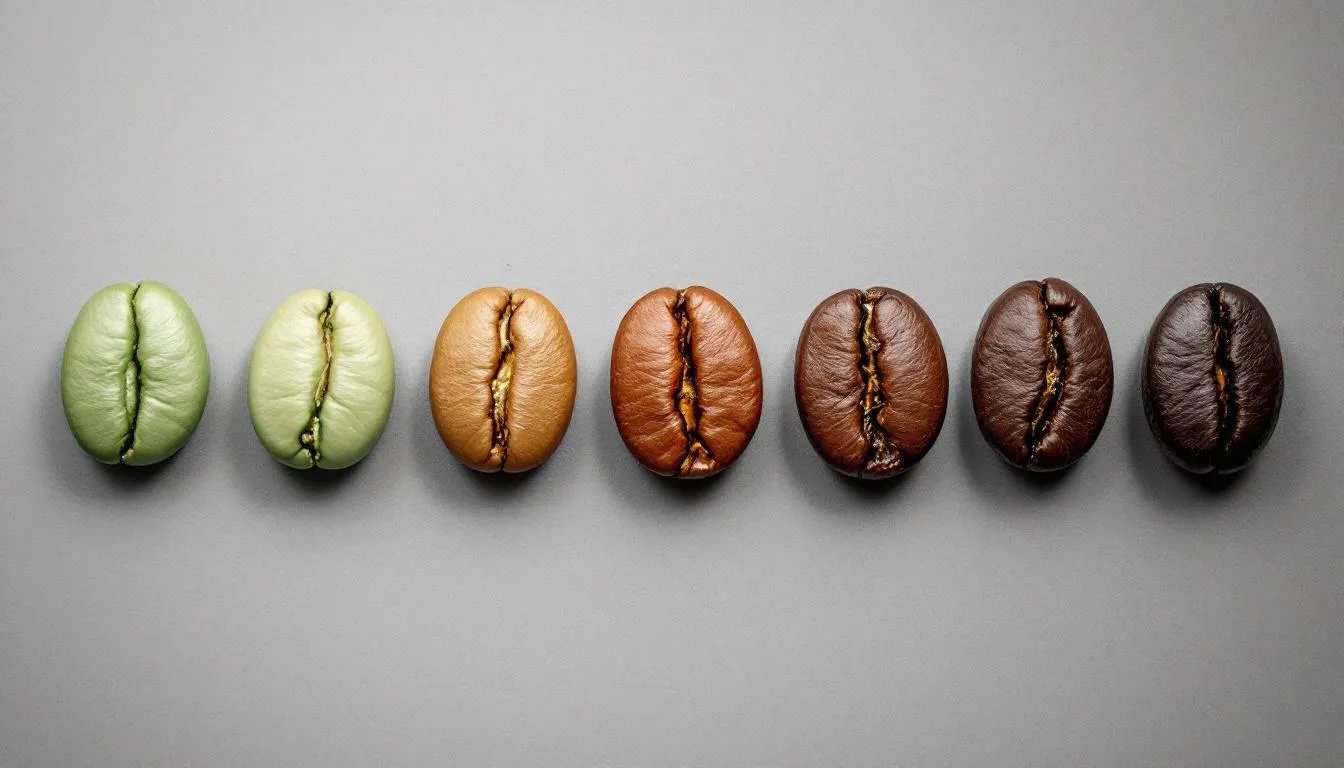
Click the image above to open Google in a new window.
<!DOCTYPE html>
<html>
<head>
  <title>Self-Linking Image</title>
</head>
<body>
  <h1>Click to View Full Size</h1>
  <a href="https://pixelstalk.net/wp-content/uploads/2016/08/Sunset-Beaches-Backgrounds.jpg" target="_blank">
    <img src="https://pixelstalk.net/wp-content/uploads/2016/08/Sunset-Beaches-Backgrounds.jpg"
         alt="Sunset beach background"
         width="300">
  </a>
  <p>Click the image above to view it at full size in a new browser tab.</p>
</body>
</html>
Click to View Full Size

Click the image above to view it at full size in a new browser tab.